Safe Surfer: Block Porn & Apps
- 3.8
- Rating
- 500.00K
- Installs
- Free
- Price

 Analysis by App-foxy
I approached Safe Surfer: Block Porn & Apps as a practical parenting and digital-wellbeing tool rather than a magic switch. Its purpose is straightforward: help reduce access to pornography, distracting applications, and other online material that a family may consider harmful. That makes it relevant to parents who want a manageable layer of protection, but also to adults trying to create firmer boundaries around their own phone use.
My first impression was that the app makes sense because it addresses a problem people usually discover only after ordinary advice has failed. Telling a child, teenager, or even myself to “just use the internet responsibly” is easy. Building an environment where certain temptations are harder to reach is more practical. Safe Surfer, developed by Safe Surfer, belongs to the parenting category and is free to install, with optional purchases ranging from $1.49 to $5.49 per item.
The important question is not whether an app can block something once. The better question is whether it remains useful after the initial setup, when daily life becomes busy and everyone starts looking for shortcuts. In my experience, this app has genuine value when it is treated as part of a wider family routine. It is less convincing when someone expects it to replace conversation, supervision, or personal discipline.
You May Also Like

 Blood Strike: 2.5 Anniversary
Blood Strike’s Loadouts Turn Every Drop Into a Tactical Gamble
A close look at Blood Strike’s custom loadouts: how fast access to signature weapons reshapes its battle royale rhythm, rewards preparation, and narrows the gap between fights.

 Pandora - Music & Podcasts
Pandora’s Music Is Easy to Start, but Harder to Recover
Pandora’s strength is its low-effort path from a seed to a station. Its weak spot is how much confidence it asks you to place in connection, setup, and quiet recovery.

 8 Ball Pool
 Is Built on Rivalries, Rematches, and Routine
A close look at the rivalries, rematches, shared routines, and unanswered safety questions that turn a quick pool match into a persistent mobile community.

 Samsung Music
’s Quiet Strength Is Playing What You Already Own
Its reach comes less from spectacle than from dependable access to a personal library. That simplicity is both the app’s strongest retention engine and its ceiling.

 AccuWeather: Weather Radar
AccuWeather Review: A Quick, Clear Forecast for Everyday Decisions
For everyday plans, the best forecast is the one you can understand quickly. AccuWeather makes rain timing, radar, and local conditions easy to act on, with a few trade-offs.

 Hill Climb Racing
Why Hill Climb Racing Still Turns Crashes Into One More Run
A tiny car, a bumpy hill and one more upgrade: Hill Climb Racing keeps resurfacing because its simple chaos makes every near-miss feel personal.
More From Our News Desk



What the first week feels like
The appeal during the first week comes from having a clear objective. Instead of searching through several unrelated phone settings, I can think in terms of reducing exposure to specific categories of content and limiting access to selected apps. That focus is helpful for parents who do not want a complicated technology project. The app’s store summary centers on recovering digital health, and that wording fits the practical experience better than presenting it as a general-purpose security suite.
A realistic example would be a parent setting up a child’s phone before the school term begins. The goal may not be to monitor every minute of use. It may simply be to make explicit material less accessible, prevent a few particularly distracting apps from taking over the evening, and create a calmer bedtime routine. Safe Surfer can serve as one layer in that plan. I would still explain the rules to the child first, because a block that appears without context can feel like punishment rather than protection.
Another useful scenario is an adult who notices a repeated pattern: opening a distracting app during work, browsing late at night, or returning to content they have already decided to avoid. In that situation, the app can act as friction. Friction matters because a pause of even a few seconds can interrupt an automatic habit. It does not remove the underlying urge, but it can create enough space to choose something else.
The setup experience is most effective when I decide in advance what problem I am solving. If I try to block everything at once, the process becomes less thoughtful. A better approach is to begin with the websites, content types, or applications that are clearly causing trouble, then observe how the phone feels over several days. This makes it easier to separate useful protection from unnecessary restriction.
One non-obvious trade-off is that blocking can change behavior without changing motivation. A teenager may stop opening one application and simply look for another distraction. Likewise, an adult may avoid one kind of content while spending more time on a different platform. I see the app as a way to support a plan, not as proof that the plan is working. Checking sleep, homework, mood, or work concentration gives a more honest measure than assuming a blocked screen equals healthier behavior.
The app is rated for Everyone, which makes its broad family positioning easy to understand. Still, an Everyone rating should not be confused with a guarantee that every setting will suit every household. Parents need to choose boundaries that match a child’s age, maturity, and level of independence. A younger child may need simple protection, while an older teenager may respond better to shared rules and gradually increasing responsibility.
Where the early appeal is strongest
The strongest first-week benefit is clarity. Safe Surfer gives a family a concrete action to take when online content has become difficult to manage. That can be reassuring for someone who feels overwhelmed by phone settings or uncertain about where to begin. It is also useful when a household wants to make a change immediately rather than waiting for a perfect long-term system.
I would especially consider it for a parent who wants to reduce exposure to pornography without turning the entire phone into a surveillance device. The narrower focus can make a conversation easier: these are the boundaries, this is why they exist, and we will review them together. That approach is healthier than secretly changing settings and hoping the child never notices.
There is also a benefit for shared devices. A tablet used by children for entertainment and schoolwork can become difficult to manage when several people use it. A dedicated blocking tool may be more convenient than repeatedly adjusting individual browser or operating-system settings. Even then, I would test normal activities such as school research, video viewing, messaging, and app updates before considering the setup complete.
The first week can also reveal whether the app fits the household’s technical comfort level. Someone who is happy to review settings and troubleshoot occasional conflicts may find it manageable. Someone who wants a completely invisible, automatic solution may become frustrated quickly. The difference is less about the app’s purpose and more about the amount of involvement the family is willing to provide.
Why the second month matters more than the first
Novelty is easy to mistake for lasting value. During the first few days, any new restriction can feel powerful because it changes the routine. After several weeks, the real test begins: do the boundaries still match the family’s needs, and does using the app remain worth the attention it demands?
For me, the month-to-month value depends on whether Safe Surfer becomes part of a regular digital-health check-in. I would not install it and forget it. I would revisit the blocked apps and content categories occasionally, especially after a child receives a new device, joins a new social platform, or changes school routines. A list that made sense during holidays may be too strict or too loose during term time.
This is one of the more useful ways to think about the app: not as a permanent wall, but as an adjustable boundary. A family may begin with stronger limits, then loosen selected restrictions as a child demonstrates responsibility. Conversely, a sudden change in sleep, grades, or behavior may justify tightening the plan temporarily. The value comes from matching the tool to real life instead of treating the original setup as sacred.
An adult using the app for personal habit control should follow a similar process. I would identify the moments when the problem appears, note which blocked categories actually help, and remove rules that only create irritation without improving behavior. This prevents the app from becoming a symbolic gesture. The point is not to collect restrictions; it is to make healthier choices easier to repeat.
A concrete long-term workflow might look like this:
Choose a small number of boundaries connected to a specific concern, such as late-night browsing or access to explicit material.
Use the phone normally for several days and watch for legitimate activities that become inconvenient.
Discuss the results with the person using the device, when the situation involves a child or teenager.
Keep the rules that solve a real problem and revise the ones that only create friction.
This process also answers an important practical question: can the app work without constant supervision? It can reduce the need for repeated manual intervention, but I would not rely on it as the only safeguard for a child. Online services change, new applications appear, and determined users may test boundaries. The app is more dependable as a continuing support system than as a once-and-done solution.
Its audience size suggests that the idea has broad appeal, with over 500 thousand installs and an average rating of 3.8 from around 5 thousand ratings. Those figures indicate that many people find the concept useful, while also hinting that the experience is not universally smooth. I read that combination as a reason to approach it with realistic expectations rather than assuming every household will have the same result.
Maintenance is part of the product
The maintenance burden is moderate, but it is real. Any app that blocks content or applications sits between the user and the normal phone experience. That means I need to pay attention when something legitimate is blocked, when a new app changes the routine, or when the original reason for a restriction no longer applies.
Parents should also plan for moments when the child needs access for a reasonable purpose. A blocked category can overlap with educational research, health information, news, or a discussion that requires mature context. I would rather establish a clear process for requesting temporary access than leave the child with the impression that every blocked result is dangerous. Good boundaries need an explanation and a way to be reviewed.
For personal use, maintenance usually means resisting the temptation to alter the rules during a moment of weakness. If I can simply remove every restriction whenever I feel uncomfortable, the app loses much of its value. A better arrangement is to decide changes when calm, not when I am already in the middle of the habit I am trying to break.
The current version is 3.9.7, and the app supports devices running Android 6.0 or later. That makes compatibility broad enough for many older Android phones, though device condition and system behavior can still affect how comfortable the experience feels. I would check the phone’s operating-system version before planning a family rollout, particularly if the device is several years old.
One practical tip is to test the setup from the user’s point of view. After configuring a child’s phone, I would try ordinary searches, school-related pages, permitted applications, and the times of day when restrictions should matter most. This catches problems before they become an argument. It also gives me a better sense of whether the boundaries are targeted or simply too broad.
Where fatigue begins
The main source of fatigue is the emotional weight of the subject. Blocking pornography and harmful online material is not a neutral task for many families. It can involve trust, embarrassment, fear, and disagreement about what is appropriate. No app can remove those conversations. In fact, a technical solution may expose the need for them more clearly.
Another source of fatigue is the expectation of perfect coverage. A determined user may look for alternatives, borrow another device, or move to a service that the original rules do not address. I would not use Safe Surfer to create false confidence. It can make access more difficult and reduce accidental exposure, but it should sit alongside age-appropriate education and ordinary parental involvement.
False positives can also wear down goodwill. If a teenager repeatedly encounters a block while doing legitimate work, the app may become associated with unfairness. The same is true for an adult who cannot complete a normal task without changing settings. This is why targeted rules are better than an indiscriminate approach. A smaller, well-chosen boundary is often more sustainable than an aggressive one that constantly interrupts daily life.
The purchase model deserves attention as well. The app is free, but optional in-app purchases are available. I would begin with the free experience and judge whether it solves the actual problem before spending money. A paid option is worthwhile only if it adds something I will use consistently, not simply because I feel pressure to make the setup more complete.
The rating of 3.8 also makes me cautious about recommending it blindly. It is not a reason to dismiss the app, but it suggests that expectations and device situations vary. Before introducing it to a whole family, I would test it on the phone that matters most and make sure the boundaries do not interfere with essential communication or schoolwork.
Compared with ordinary browser filters, Safe Surfer is more appealing when the concern includes applications as well as web content. Browser-only controls can be useful for a single browsing habit, but they may leave other routes open. On the other hand, a device’s built-in family settings may be preferable for parents who want broader account management and already understand those controls. Safe Surfer makes more sense when its focused approach is easier for the household to maintain.
Compared with accountability conversations or counseling, it serves a different purpose. It can provide immediate environmental support, while conversation addresses reasons, values, and trust. For compulsive behavior that is seriously affecting daily life, I would not treat an app as sufficient help. A blocking tool can support recovery habits, but it should not be presented as a substitute for qualified personal support.
Does it earn a lasting place?
My long-term verdict is cautiously positive. Safe Surfer deserves a place on the shortlist for parents who want a focused way to reduce access to pornography, selected apps, and other unwanted online material. It also has a reasonable use case for adults trying to introduce friction into repetitive digital habits. The strongest results come when the user accepts that setup, review, and conversation are part of the process.
I would recommend it to a family that wants a practical starting point and is willing to revisit its rules. I would also recommend it to someone who understands that blocking is a support mechanism, not a cure. The app earns recurring value when it helps a household keep a clear boundary during ordinary stressful weeks, not merely when it produces an impressive first-day change.
I would skip it if I wanted completely hands-off supervision, guaranteed protection from every type of online risk, or a full device-management system with no need for discussion. I would also look elsewhere if built-in parental controls already solve the household’s needs and the family prefers keeping everything in one operating-system dashboard.
The best way to use it is deliberately: start narrow, explain the reason for each boundary, test normal activities, and review the arrangement after the routine has settled. That approach reduces the chance that protection turns into needless conflict. It also makes the app easier to keep for the long term, because every restriction has a job.
Safe Surfer is not exciting software, and that is probably a strength. Its value is quiet and repetitive. When it works well, it helps a person pause before reaching unwanted content and gives a parent one more practical tool for shaping a safer phone environment. The lasting benefit comes from consistent habits around the app, not from the installation alone.
For a free parenting app with optional purchases, an Everyone age rating, and a clear focus on digital health, it is worth trying when the problem matches its purpose. I would keep it installed only if the boundaries remain useful after the novelty fades. In my experience, that decision becomes clear when the app stops being a dramatic intervention and starts functioning as a small, dependable part of the household’s routine.
FAQs for Safe Surfer: Block Porn & Apps
01What is Safe Surfer: Block Porn & Apps, and how does it work?
Safe Surfer: Block Porn & Apps is designed to help users filter adult content, block selected websites, and restrict access to distracting or potentially harmful applications. After installation, it typically uses filtering, blocking, and device-management permissions to enforce the rules you configure. The exact features may vary by device and subscription, so review the requested permissions and settings before enabling protection.
02Can Safe Surfer block pornography and other inappropriate websites reliably?
The app can help prevent access to many adult websites and content categories through web filtering, safe-search controls, and blocklists. However, no filtering tool is perfect: new domains, embedded content, alternative browsers, private networks, or incorrectly classified pages may occasionally bypass or trigger the filter. For the best results, combine the app with device-level security settings, regular reviews, and clear supervision or family-use rules.
03Does Safe Surfer: Block Porn & Apps work on both Android and iPhone?
Safe Surfer is available for mobile devices, but the exact functions can differ substantially between Android and iOS because each operating system provides different controls. Android may allow broader app and device restrictions, while iPhone features can depend on VPN, Screen Time, browser, or management permissions. Check the current store listing for your device to confirm compatibility and supported features before downloading.
04Can I use Safe Surfer to block specific apps or set usage restrictions?
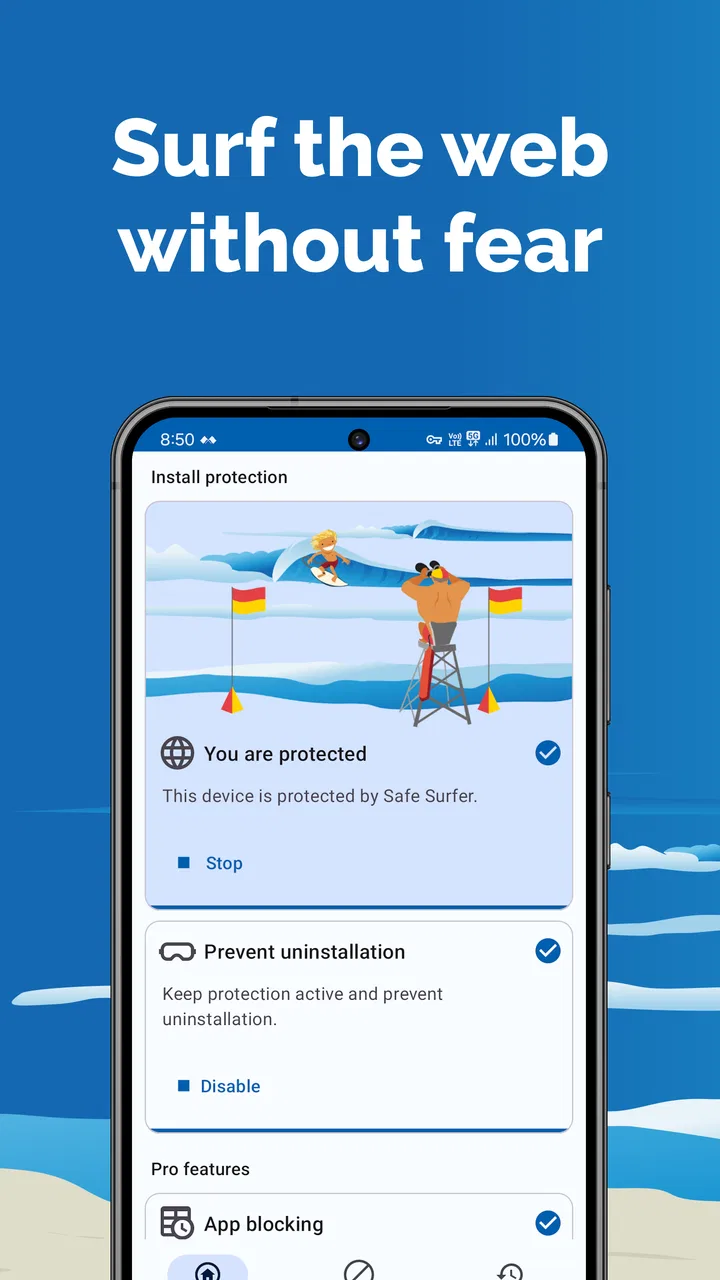
One of the app’s main purposes is helping users restrict access to selected applications and reduce exposure to unwanted content. Depending on the platform and plan, you may be able to block individual apps, apply schedules, or use protection modes that make changing the rules more difficult. Configuration may require special permissions, and some restrictions can be affected by device settings, updates, or attempts to uninstall the app.
05Is Safe Surfer free, and what should I know about privacy and permissions?
You can generally download Safe Surfer without paying, but some advanced filtering, monitoring, accountability, or protection features may require a subscription or in-app purchase. During setup, the app may request permissions related to network filtering, app usage, notifications, or device administration. Before accepting, read the privacy policy, understand what information is collected, check renewal terms, and make sure the features match your expectations.
Pros
- Blocks adult websites
- images
- and videos across supported devices.
- App blocking helps reduce distractions from social media and games.
- Screen-time tools encourage healthier digital habits for families.
- Password protection makes it harder to bypass selected restrictions.
- Reports provide useful insight into browsing and app usage patterns.
Cons
- Some advanced controls may require a paid subscription.
- VPN or filtering features can affect browsing speed and battery life.
- Overblocking may occasionally restrict harmless websites or content.
- Setup can be more complicated when managing several devices.
- Children may still find workarounds if device settings are not secured.

Safe Surfer: Block Porn & Apps
Gallery